
Product · Mapping
Mobile-optimised mapping using the PDT template
Register reusable materials directly in the building or on the property. Built on the PDT Norway data template.
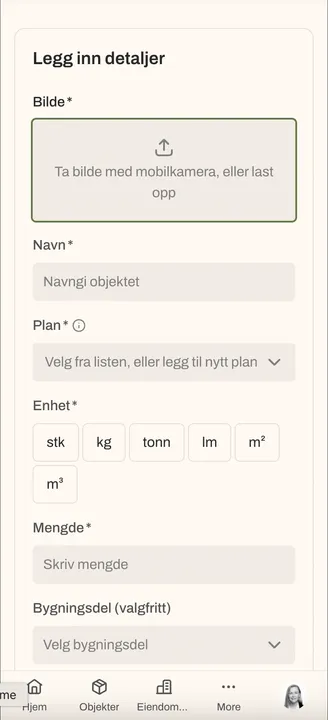
Step 1
Mobile-optimised in the field
Map where you stand. No Excel round afterwards. All you need is your phone and Rehub.
- Works on construction sites, in technical rooms and open-plan offices
- Photos, measurements and condition registered on site
- Mapping data is saved directly to the portfolio. Nothing to export
Step 2
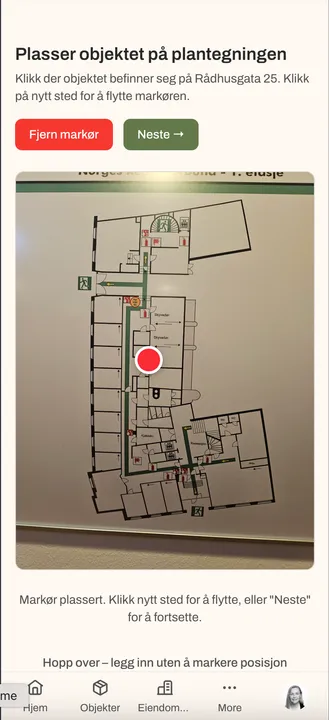
Mark on the floor plan
Place each item with a single tap on the floor plan, so you always know exactly where it is. No loose lists. Every material is anchored to a physical location.
- Tagging directly on the floor plan
- Building and floor always linked to the item
- The floor plan is the foundation for internal use and further planning
Step 3
Fast on the spot
The essentials in seconds per item: photo, quantity, condition. An entire floor in minutes, not hours.
- Take a photo, automatically linked to the item
- Quantity and condition in a few taps
- Tagging by building element and material type using the PDT template
Step 4
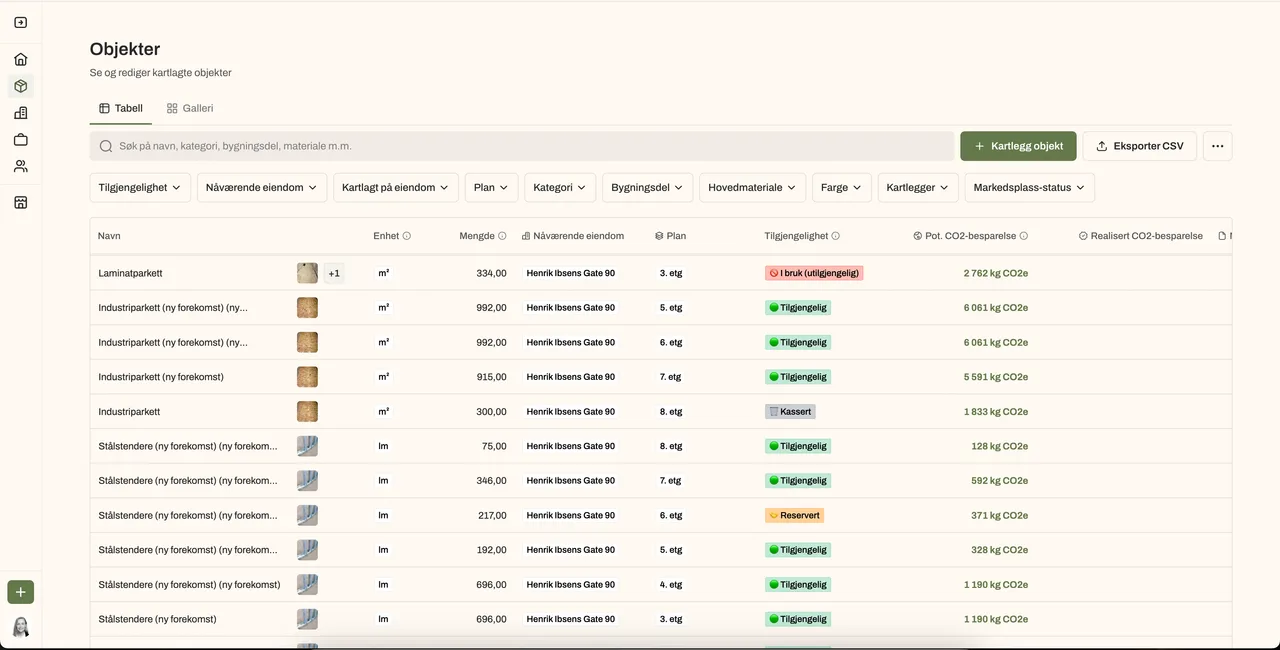
Add detail at the office
On desktop afterwards: review all materials, fill in additional information and see automatic CO² savings. The foundation for a complete reuse mapping. Built on the PDT Norway data template.
- Full detailing in the desktop interface
- Automatic CO² savings calculated continuously
- Compatible with the PDT Norway data template
Want to see the mapping flow?
We show you how mapping goes from construction site to finished documentation in minutes.